
The publish flow
Это содержимое пока не доступно на вашем языке.
Publishing is a single explicit gate: until you publish, nothing about a project is publicly reachable.
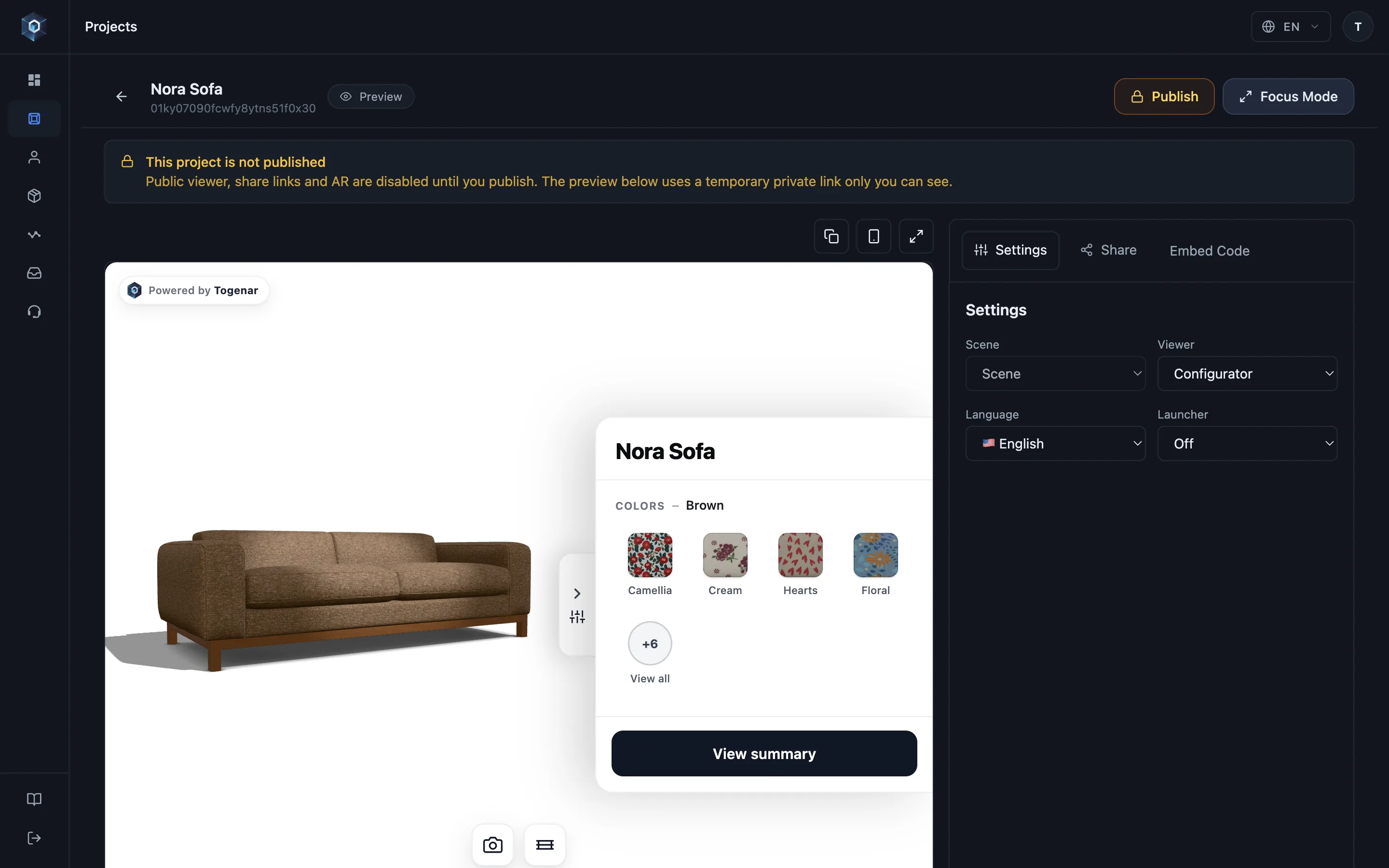
Неопубликованный проект полностью работает для вас — и невидим для всех остальных.
Вот и весь процесс — попробуйте вживую.
- Неопубликованный проект полностью работает для вас — и невидим для всех остальных.
- Нажмите Publish — одно действие открывает все публичные поверхности.
- Проект опубликован. Посетители видят зафиксированную версию — ваши правки скрыты до следующей публикации.
- Откройте вкладку Share — все каналы дистрибуции используют одну и ту же опубликованную версию.
- Скопируйте публичную ссылку, QR-лаунчер или код встраивания — каждый из них открывает опубликованную версию.
Before publishing
Section titled “Before publishing”An unpublished project is fully functional for you, invisible to the world:
- Public viewer, share links and AR are disabled until you publish.
- The in-panel preview uses a temporary private link only you can see — safe to polish with the team while the outside URL stays a 404.
Two things follow from how that preview link works:
- It is signed and short-lived — while previewing, your browser’s address bar shows the long signed form, and that URL stops working once the signature expires. To share a project, always use the Copy actions in the share drawer; they produce the permanent public link.
- Preview sessions are yours alone in the numbers too: they are never counted against your view limit and write no analytics, so rehearsing a project as often as you like costs nothing and leaves your statistics clean.
Publish and unpublish
Section titled “Publish and unpublish”Publish from the project — the toggle reports its state (Published — click to unpublish). Unpublishing takes the public surfaces down again; your content stays intact in the panel.
Versions
Section titled “Versions”Every publish creates a numbered version. Visitors see the live version; what you save afterwards stays in the panel until you publish again.
The Publishing tab of the project preview shows:
- the live version, and whether you have unpublished changes;
- every version, with when and by whom it last went live;
- Restore on each earlier version — it goes live again and opens in the editor, without creating a new version;
- Unpublished drafts — changes you had not published when you restored a version. Restore to draft brings them back into the editor; the live version stays as it is until you publish.
What publishing feeds
Section titled “What publishing feeds”One publish action powers every distribution surface with the same state:
- The public viewer page and the short link / QR launcher (see Links, QR & launcher).
- Embeds on your site — including the domain allowlist check.
- AR entry on every device.
Plan note: publishing follows your workspace plan, and lapsed subscriptions get a public grace window — see Plans & billing.